Loading blog details...
Related Blogs
Loading blog details...
Loading blog details...
Related Blogs
Loading blog details...
Confused about the difference between UI and UX? Read our simple, jargon-free guide to understand User Interface vs. User Experience with easy examples.

When you visit a website or use an app on your phone, have you ever wondered why some apps feel incredibly smooth and effortless, while others make you want to throw your phone out the window just trying to find a simple button?
In the digital world, the secret behind these feelings boils down to two terms: UI (User Interface) and UX (User Experience).
If you don’t come from a design background, it is easy to confuse the two or think they mean the same thing. However, they are completely different concepts that work hand-in-hand. Let’s break them down in plain English, without any confusing technical jargon!
To understand them easily, let’s imagine building a modern house:
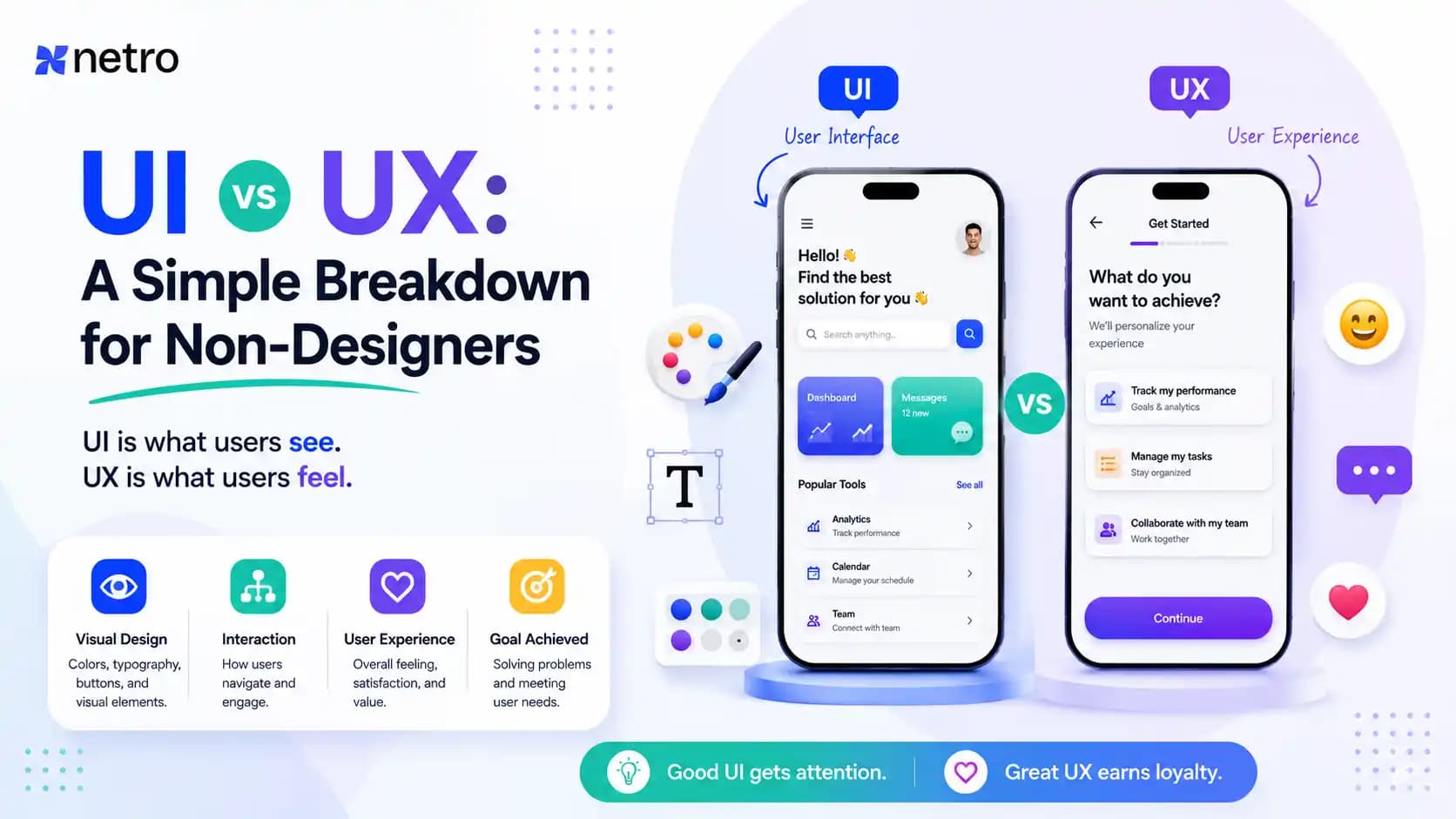
In one line: UI is how an app or website looks (The Look), while UX is how it feels to use it (The Feel).
To help you instantly see the difference, here is a simple breakdown:
| Feature | UI (User Interface) | UX (User Experience) |
| Primary Focus | Visual look, aesthetics, and digital surface. | Overall experience, ease of use, and efficiency. |
| What They Do | Design colors, fonts, images, buttons, and animations. | Research user problems, map user journeys, and test solutions. |
| The Goal | To make the product look beautiful and attractive. | To make the product easy, functional, and hassle-free. |
| Core Question | "Does this button look nice and match the brand?" | "Can the user find this button easily without getting confused?" |
Imagine you download a new e-commerce app. The design is absolutely gorgeous—stunning color palettes, perfect typography, and smooth animations (Excellent UI). But when you try to buy a shirt, you cannot find the "Buy Now" button anywhere, or the payment screen crashes repeatedly (Terrible UX). Would you keep using that app? Definitely not!
Now, flip the scenario. Imagine another app where everything works lightning-fast. You can purchase an item with just a single click (Excellent UX). However, the font size is microscopic, and the background colors clash so harshly that your eyes hurt (Terrible UX). You would close the app out of pure frustration.
That is why a successful digital product requires UI and UX to work in perfect harmony.
In today's competitive digital landscape, offering a flawless UI/UX design is no longer optional; it is the backbone of any successful brand or business. Whether you are building a new mobile application, a corporate website, or a complex SaaS platform, ensuring it looks beautiful and functions smoothly is the key to winning customer trust.
If you have a brilliant idea or an ongoing project that needs a professional touch, feel free to reach out to our team at Netro Systems. From initial user research and wireframing to stunning visual designs and robust development, we are ready to bring your vision to life and deliver the ultimate digital experience to your users.
1. Which is more important: UI or UX?
2. Can I become a UI/UX designer if I don't know coding?
3. What are the most popular tools used for UI/UX design?

45 Reviews

45 Reviews