Loading blog details...
Related Blogs
Loading blog details...
Loading blog details...
Related Blogs
Loading blog details...
Learn the complete UX design process from research to testing and gain the practical knowledge needed to build better digital products and grow as a UX designer.

The UX design process is a structured, human-centered approach to building digital products that are intuitive and enjoyable to use. It typically involves five core stages: research, define, ideate, prototype, and test. Beginners who follow this process consistently produce better products and progress faster in their careers.
Breaking into UX design can feel overwhelming. There are tools to learn, frameworks to understand, and a whole new vocabulary to absorb. But here's what most beginner guides won't tell you: the process matters far more than the tools.
Every great digital experience from a seamless banking app to a frictionless e-commerce checkout was built on a repeatable, structured design process. The UX design process gives designers a clear path from problem to solution, ensuring that real user needs, not assumptions, drive every decision.
This guide walks you through each stage of the UX design process in plain, practical terms. Whether you're building your first portfolio project or trying to land your first UX role, understanding this process is the foundation everything else is built on. By the end, you'll know exactly what each phase involves, what deliverables to expect, and how to apply it all in the real world.
UX design short for User Experience design is the practice of creating products that are useful, accessible, and enjoyable for the people who use them. The UX design process is the structured workflow designers follow to get there.
Rather than jumping straight into visual design, UX designers start by understanding the problem space. They talk to users, analyze data, sketch ideas, build rough prototypes, and test those prototypes with real people all before a single line of code is written.
According to the Nielsen Norman Group, one of the world's leading UX research organizations, good UX design can increase conversion rates by up to 400%. That kind of impact doesn't come from aesthetic choices alone. It comes from a rigorous, user-centered process applied consistently from the very start.
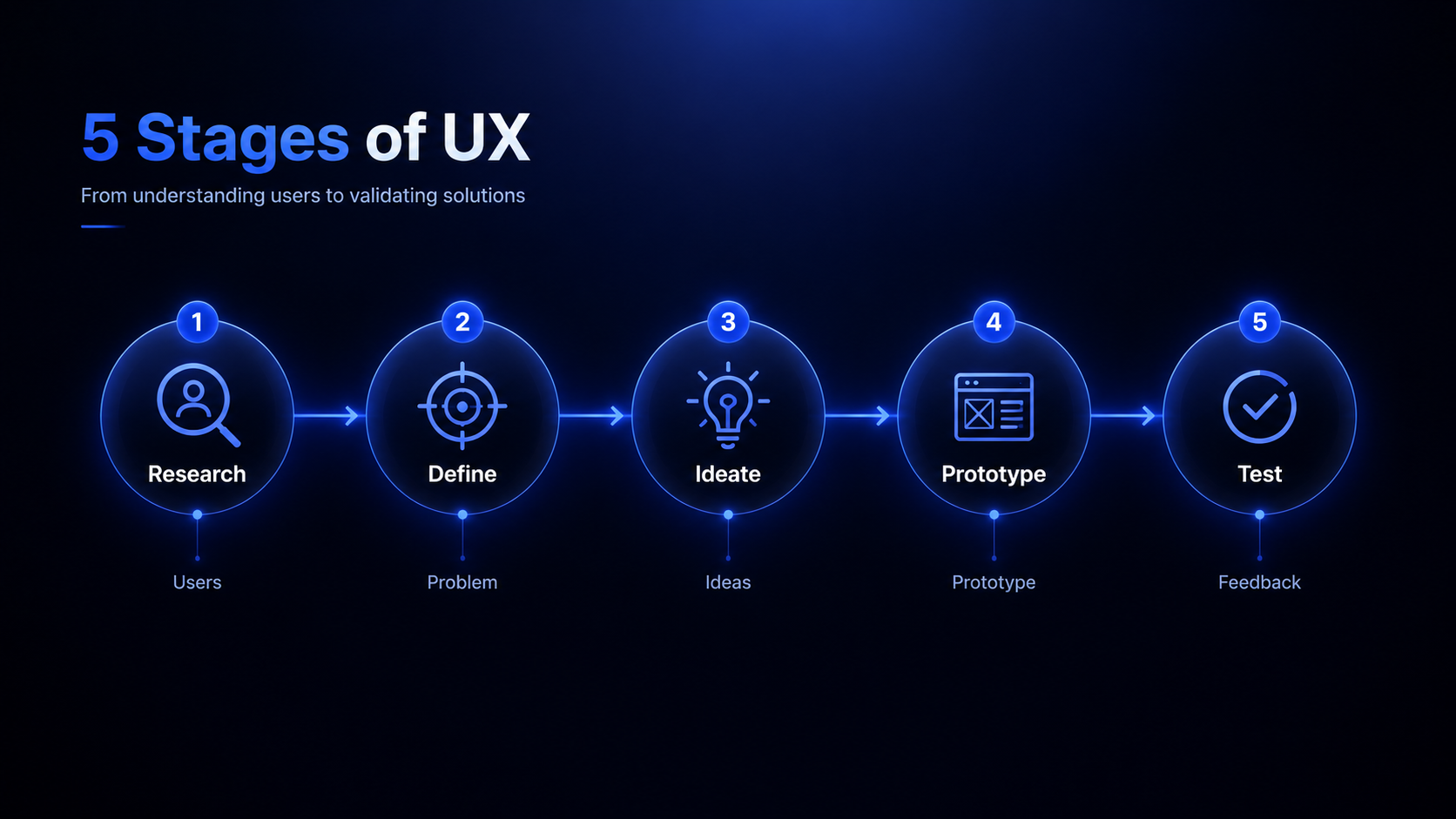
What Are the 5 Stages of the UX Design Process?
| Stage | What Happens | Key Output |
| 1. Research | Understand users and the problem | User interviews, personas |
| 2. Define | Synthesize findings into a clear problem | Problem statement, user journey map |
| 3. Ideate | Generate potential solutions | Sketches, concept ideas |
| 4. Prototype | Build a testable version of the solution | Low or high-fidelity prototype |
| 5. Test | Validate the prototype with real users | Usability test findings |
Let's break each one down.
Research is the foundation of good UX design. This stage is about understanding who your users are, what problems they face, and what context they operate in. Without solid research, designers risk building products based on internal assumptions rather than real user needs.
What types of UX research should beginners start with?
There are two broad categories of UX research:
Qualitative research explores the "why" behind user behavior. Methods include user interviews, contextual observation, and diary studies.
Quantitative research focuses on the "what" and "how many." Methods include surveys, analytics review, and A/B testing data.
As a beginner, user interviews are the most valuable place to start. Aim for five to eight participants per research round according to Nielsen Norman Group, testing with five users uncovers approximately 85% of usability problems.
Key deliverables from the research stage:
User personas (fictional but research-backed representations of your target users)
Empathy maps (visual tools that capture what users say, think, do, and feel)
Research synthesis documents
Once research is complete, the define stage is where designers make sense of everything they've learned. Raw data and interview notes get synthesized into clear insights, and those insights point toward a well-scoped design problem.
The most widely used tool for this stage is the problem statement, sometimes called a "How Might We" (HMW) statement. A good problem statement is specific, user-centered, and free of assumed solutions.
For example, rather than saying "We need to redesign the checkout page," a strong problem statement might read: "How might we help first-time online shoppers feel confident completing a purchase without abandoning their cart?"
Other tools commonly used in the define stage:
User journey maps: Visual timelines showing every touchpoint a user has with a product, including pain points and emotional highs and lows.
Affinity diagrams: Cluster research findings into themes to identify patterns.
Jobs-to-be-done (JTBD) frameworks: Focus on what the user is trying to accomplish, rather than who they are.
This stage is often skipped or rushed by beginners, but it's arguably the most important. A poorly defined problem leads to well-designed solutions for the wrong issue.
With a clear problem in hand, the ideation stage is where creativity takes over. Designers generate a wide range of possible solutions before narrowing down to the most promising ones.
The goal at this stage is quantity over quality. No idea is too wild, too simple, or too obvious. Judgment comes later.
Popular ideation techniques for UX beginners:
Crazy 8s: Sketch eight different interface ideas in eight minutes. It forces rapid thinking and breaks creative blocks.
Mind mapping: Start with the core problem and branch outward with related concepts, features, and user needs.
Competitive analysis: This isn't about copying, it's about understanding what already works and where gaps exist.
Storyboarding: Draw a comic-strip-style narrative of how a user might interact with your proposed solution.
After ideation, designers evaluate ideas against user needs, technical feasibility, and business goals. The best concepts move forward into prototyping.
A prototype is a testable version of your design idea and it doesn't have to be polished or pixel-perfect. The purpose of a prototype is to communicate and test an idea, not to build a finished product.
What is the difference between low-fidelity and high-fidelity prototypes?
Low-fidelity (lo-fi) prototypes are rough representations of a design. Paper sketches and basic wireframes fall into this category. They're quick to create, easy to change, and ideal for early-stage testing.
High-fidelity (hi-fi) prototypes are interactive, detailed mockups that closely resemble the final product. Tools like Figma, Adobe XD, and Sketch are commonly used to create them.
For beginners, the recommendation is to start lo-fi and move to hi-fi only when the core flows are validated. Spending hours perfecting a design that fails in testing is a costly mistake that early-stage prototyping helps avoid.
| Tool | Fidelity Level | Best For |
| Pen and paper | Low | Quick sketching and concept validation |
| Balsamiq | Low to Medium | Wireframing without distraction |
| Figma | Medium to High | Collaborative design and interactive prototypes |
| Adobe XD | Medium to High | Detailed UI and interaction design |
| InVision | Medium to High | Clickable prototype presentations |
Testing is where assumptions get challenged by reality. In a usability test, real users attempt to complete tasks using your prototype while a designer (or researcher) observes and takes notes.
The goal is not to prove that your design works. The goal is to find out where it fails.
How to run a basic usability test in 5 steps:
Define your test objectives. What specific questions do you need answered?
Write task scenarios. Give participants realistic tasks to complete, not leading instructions. For example: "You've just added an item to your cart. Complete the purchase."
Recruit participants. Aim for five users who match your target persona.
Facilitate the session. Encourage participants to think aloud. Resist the urge to help them when they struggle that struggle is your most valuable data.
Synthesize findings. Identify patterns across sessions and prioritize issues by severity.
After testing, designers take their findings back into the define or ideate stage and iterate. This cycle design, prototype, test, refine is at the heart of human-centered design.
What Tools Do UX Designers Use Throughout the Process?
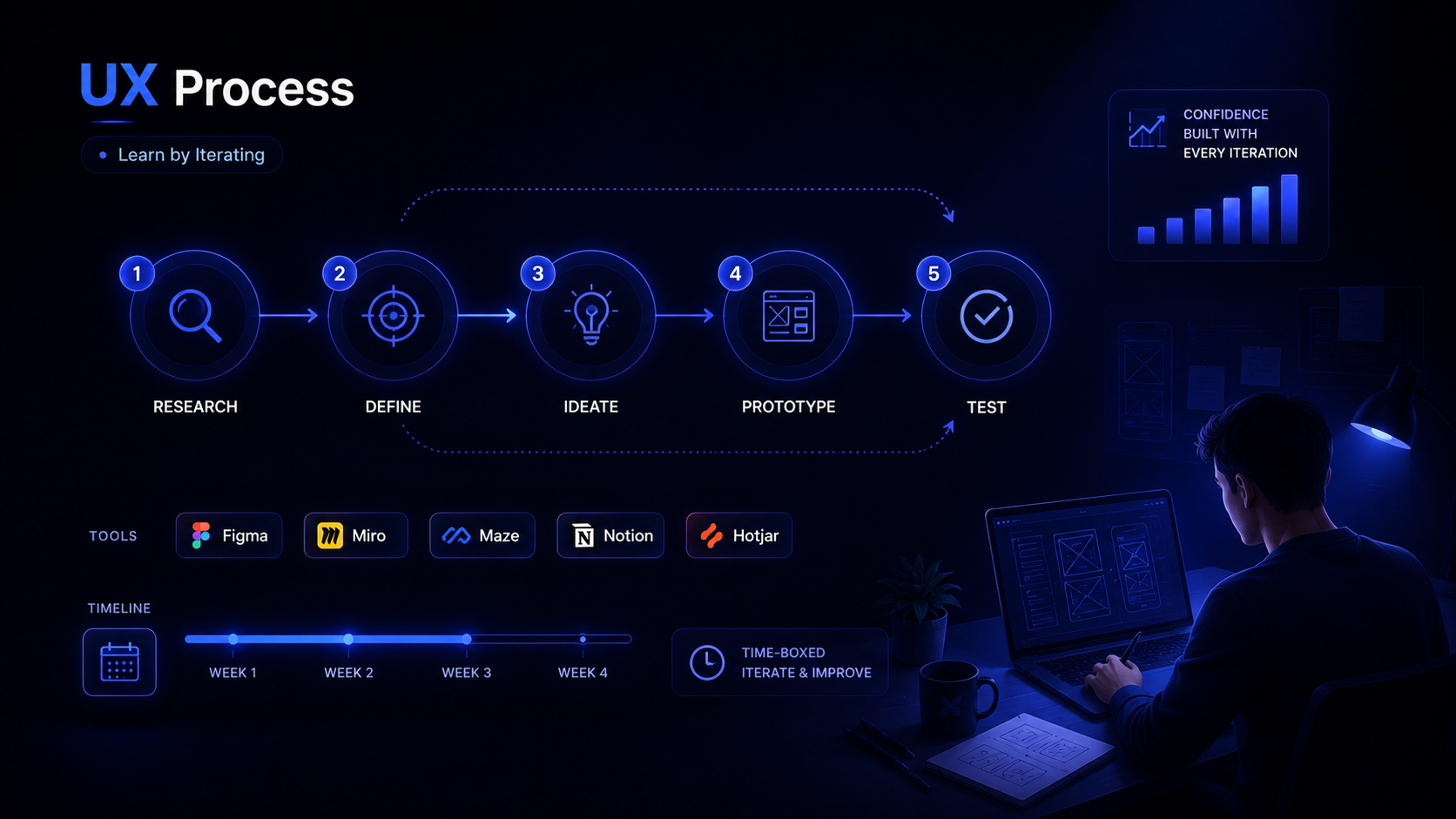
One of the most common beginner questions is about tools. The honest answer: the specific tool matters far less than understanding the process. That said, here's a quick reference for what's most widely used across the industry.
| Stage | Common Tools |
| Research | Maze, UserTesting, Google Forms, Lookback |
| Define | Miro, FigJam, Notion |
| Ideate | Miro, pen and paper, FigJam |
| Prototype | Figma, Adobe XD, Balsamiq, InVision |
| Test | Maze, UserTesting, Hotjar, moderated sessions |
Figma has become the industry standard for prototyping and UI design, with over 4 million users as of 2024. If you only learn one tool, start there.
How Long Does the UX Design Process Take?
There's no universal timeline it depends on the project scope, team size, and how many iterations are needed. A small feature update might move through the full cycle in two weeks. A full product redesign could take six months or more.
What experienced designers consistently recommend for beginners is to time-box each stage. Give yourself a defined window for research, a defined window for ideation, and so on. Without structure, it's easy to get stuck in endless research or over-polish prototypes before they've been tested.
Start Designing With Confidence
The UX design process isn't a rigid checklist it's a flexible framework that keeps user needs at the center of every decision. As a beginner, the most important habit you can build is moving through the process repeatedly, even imperfectly. Every project teaches you something the last one didn't.
Start with a small problem you care about. Talk to five people. Define the challenge clearly. Sketch some ideas. Build a rough prototype. Test it. Iterate. That cycle, done honestly and consistently, is what separates designers who grow quickly from those who stay stuck.
The tools will come. The portfolio will follow. But the process is where everything starts.
What is the UX design process in simple terms?
The UX design process is a structured, repeatable workflow that helps designers create products based on real user needs. It typically involves five stages: research, define, ideate, prototype, and test. Each stage builds on the last, and the process is iterative designers often loop back to earlier stages as they learn more.
How long does it take to learn the UX design process?
Most beginners can grasp the fundamentals of the UX design process within three to six months of consistent practice, especially through hands-on portfolio projects. Formal bootcamps and degree programs typically dedicate significant curriculum time to teaching the process through real-world briefs.
Do I need to learn coding to become a UX designer?
No, coding is not a requirement for most UX design roles. UX designers focus on research, information architecture, and interaction design. However, a basic understanding of HTML and CSS can help designers communicate more effectively with developers and understand technical constraints.
What is the difference between UX design and UI design?
UX design focuses on the overall experience a user has with a product, how it feels, how intuitive it is, and how well it solves a real problem. UI design focuses on the visual layer color, typography, layout, and the look of individual interface elements. Many roles combine both, and the two disciplines work closely together throughout the design process.
What is the best way for beginners to practice the UX design process?
The most effective way for beginners to practice is through self-initiated projects. Choose a real problem, find a small group of people who experience it, and walk through each stage of the process. Document your work in a portfolio case study that explains your process, decisions, and outcomes, not just your final screens.
Is the UX design process the same across all industries?
The core stages remain consistent across industries, but how they're applied varies. A healthcare product may require more rigorous research and accessibility testing. A fast-moving startup might compress the process into shorter sprint cycles. The principles stay the same; the execution adapts to the context.

45 Reviews

45 Reviews